Refunds
Give money back for returned items, with or without the receipt.
- For cashiers
- For managers
On this page
What it's for
A refund pays a customer back for items they return. The till prints a refund slip and, for cash refunds, opens the drawer. Returned items go back into stock unless you mark them damaged.
Every refund needs a manager's approval.
Before you start
You need your PIN, and a manager nearby to approve. If you're a manager or owner, your own login is the approval.
Steps
With the receipt
- On the sell screen, choose the Refund button (the arrow icon), then Refund by receipt number. Or open History, choose the sale, then Refund.
- Type the receipt number, like
S01-T01-000123, then choose Find. The till looks it up online, so receipts from any till in your business work.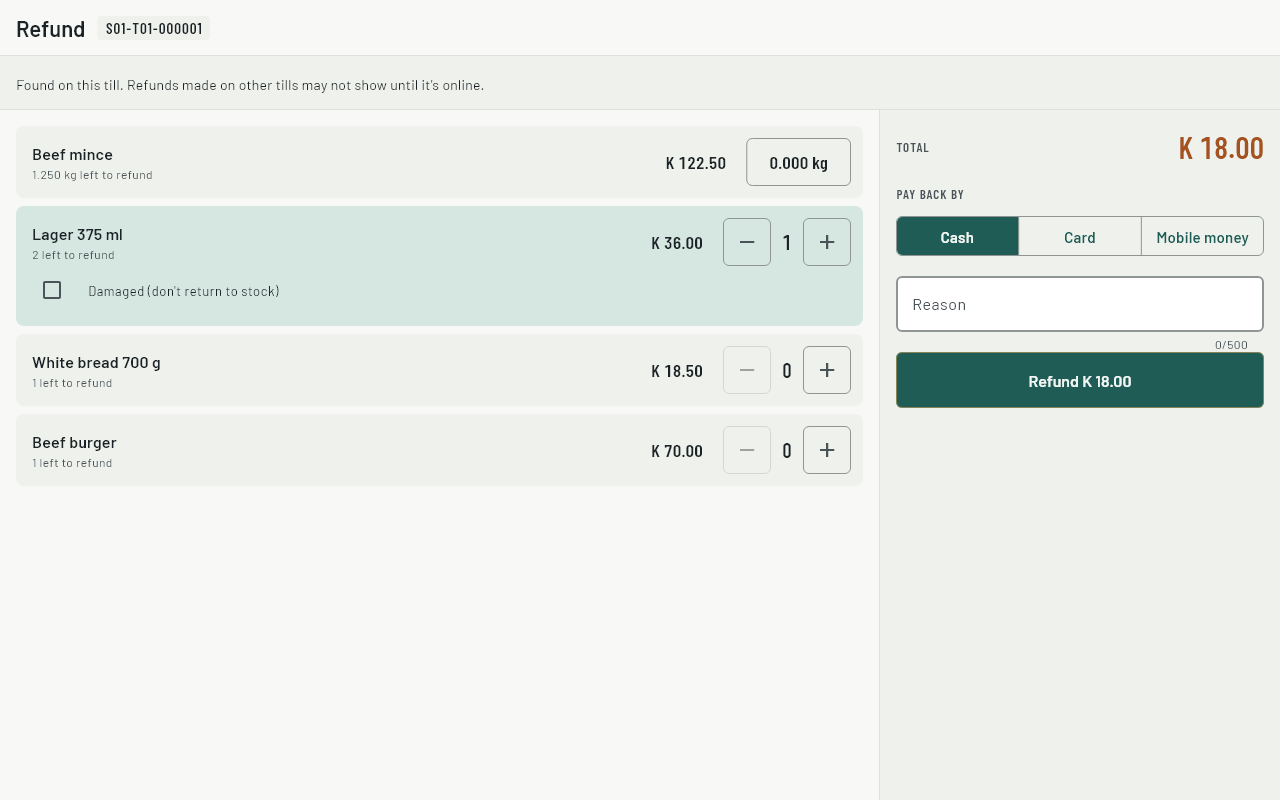
- For each item coming back, set how many. The till shows how many are left to refund.
- Tick Damaged for items that can't be sold again. They won't go back into stock.
- Choose how to pay back under Pay back by. It starts as the way the customer paid.
- Choose Refund. A manager approves with their PIN. The till prints the refund slip.
When the till is offline
The till can only find sales made on this till. It shows a note saying so. Everything else works the same, and the refund syncs when the internet is back.
Without a receipt
- Choose the Refund button, then Refund without receipt.
- Search for each product and choose it. For weighed items, enter the weight.
- Type a Reason. It's required, because there's no sale to link it to.
- Choose Refund, and a manager approves.
Refunds without a receipt use today's price.
Common questions
It says there's nothing left to refund.
That item was already refunded, on this till or another. Check the activity on the dashboard.
The customer paid by card. Can I give cash?
Yes. Choose Cash under Pay back by. Cash refunds come out of the drawer, so they count in the shift's expected cash.
Can a refund be cancelled?
No. If one was made by mistake, sell the items again.
Where does the owner see refunds?
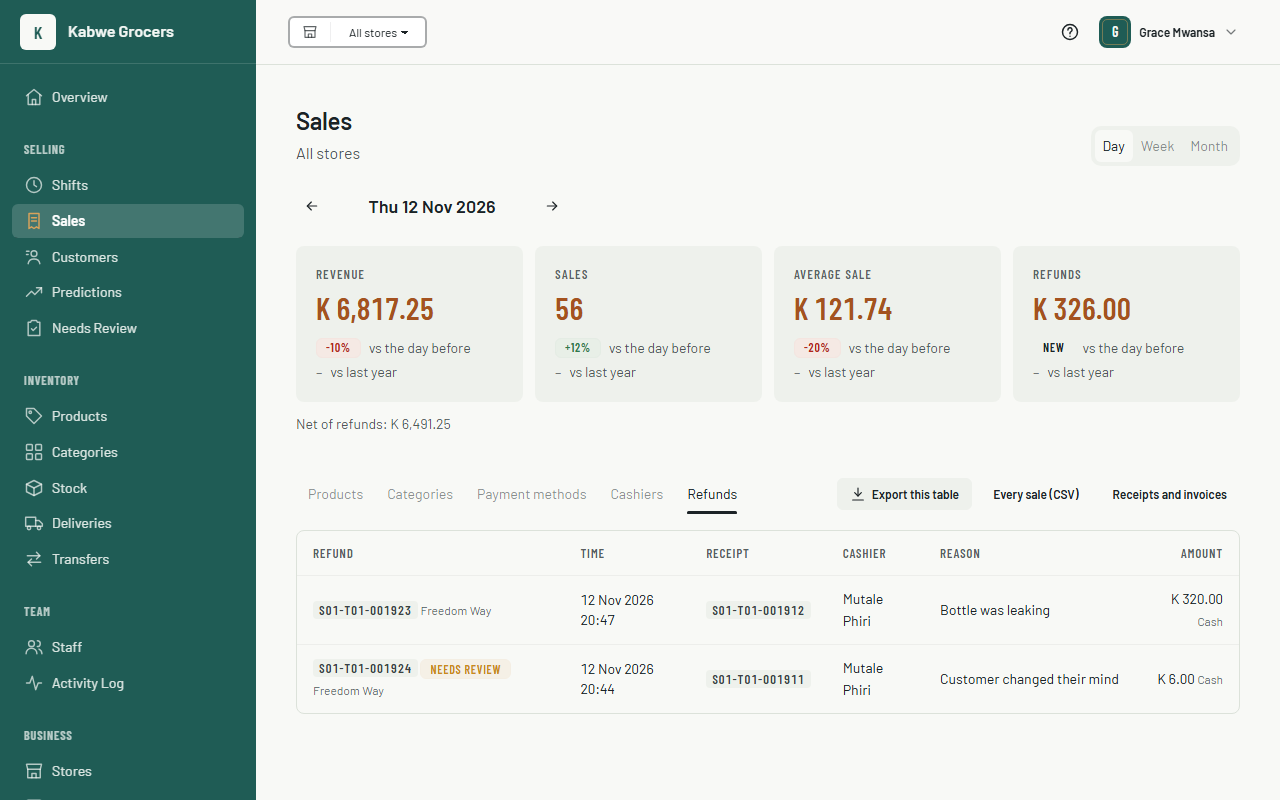
In the dashboard, choose Sales, then the Refunds tab. It lists each refund with its receipt, cashier, reason and amount. A refund that looks wrong (more than was sold, or no manager approved) is kept, and marked Needs Review. Look into it and mark it checked on Needs review. See also Sales reports and predictions.