Invoices
Print, share or email a tax invoice for any sale, at the till or from the dashboard.
- For owners
- For managers
- For cashiers
On this page
What it's for
A receipt is enough for most sales. A business customer often needs a full tax invoice: an A4 page with your business's details and TPIN, their details and TPIN, each item, the VAT and the total. You can print one, save it as a PDF, or email it, for any sale.
The invoice number is the sale's receipt number.
This collects the details ZRA Smart Invoice asks for. It doesn't send invoices to ZRA yet.
Before you start
- Enter your business details once on the dashboard under Settings: registered name, TPIN, address, phone and email. They print as the seller. See Settings and VAT.
- For the buyer's details to show, choose the customer on the sale before taking payment. See Customers. A sale without a customer still gets an invoice, marked Cash sale.
- Printing and saving work without the internet at the till. Emailing needs the till to sync.
Steps
At the till, right after payment
- Take payment as usual. On the completed sale you'll see Print Invoice, Share Invoice and Email Invoice.
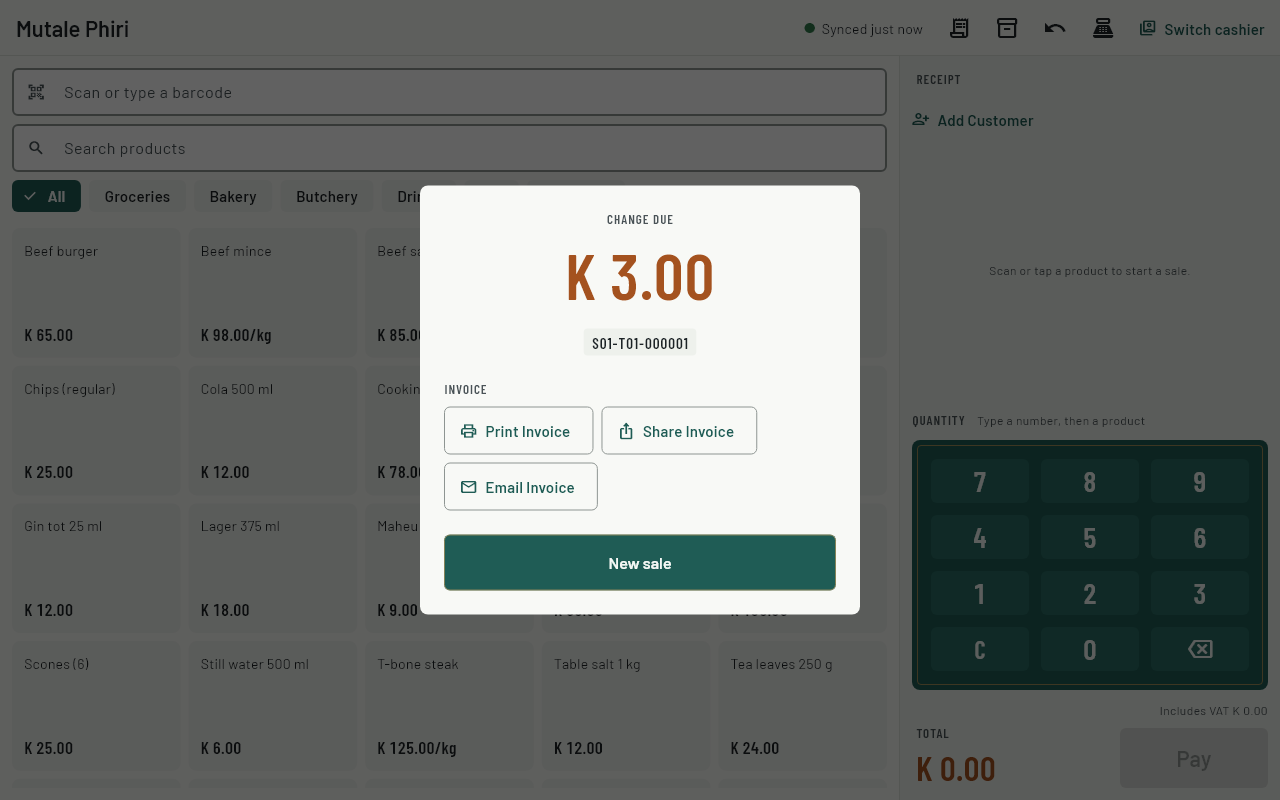
- Print Invoice opens your device's print window: choose an A4 printer. This is separate from the receipt printer.
- Share Invoice saves the PDF, or sends it with another app on a phone or tablet.
- Email Invoice asks for the address. The customer's email is filled in if they have one. The email goes once the till has synced, usually within a minute when it's online.
At the till, for an earlier sale
- Open History and tap the sale.
- Use the same three buttons.
On the dashboard
- Choose Sales, then Receipts and invoices.
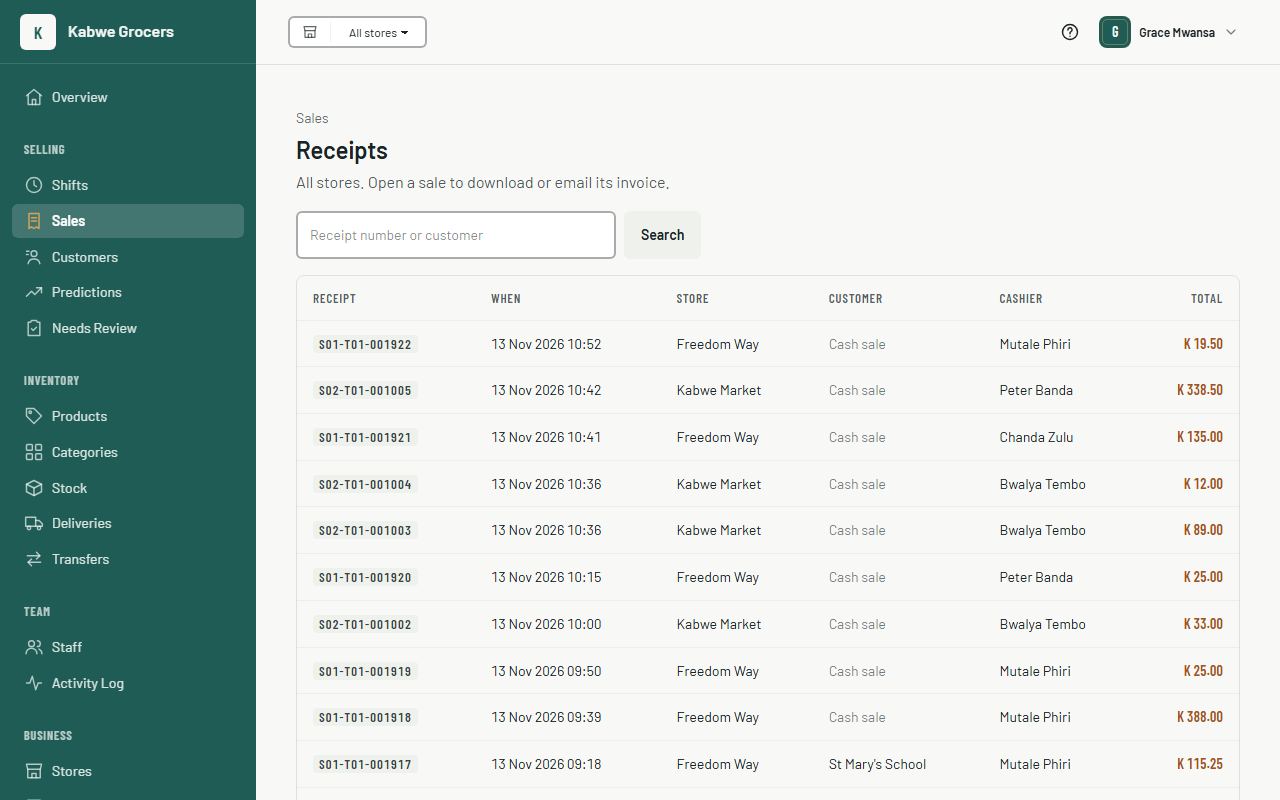
- Find the sale: search by receipt number or customer name. Choose its receipt number.
- Choose Download invoice to open the PDF, then print or save it.
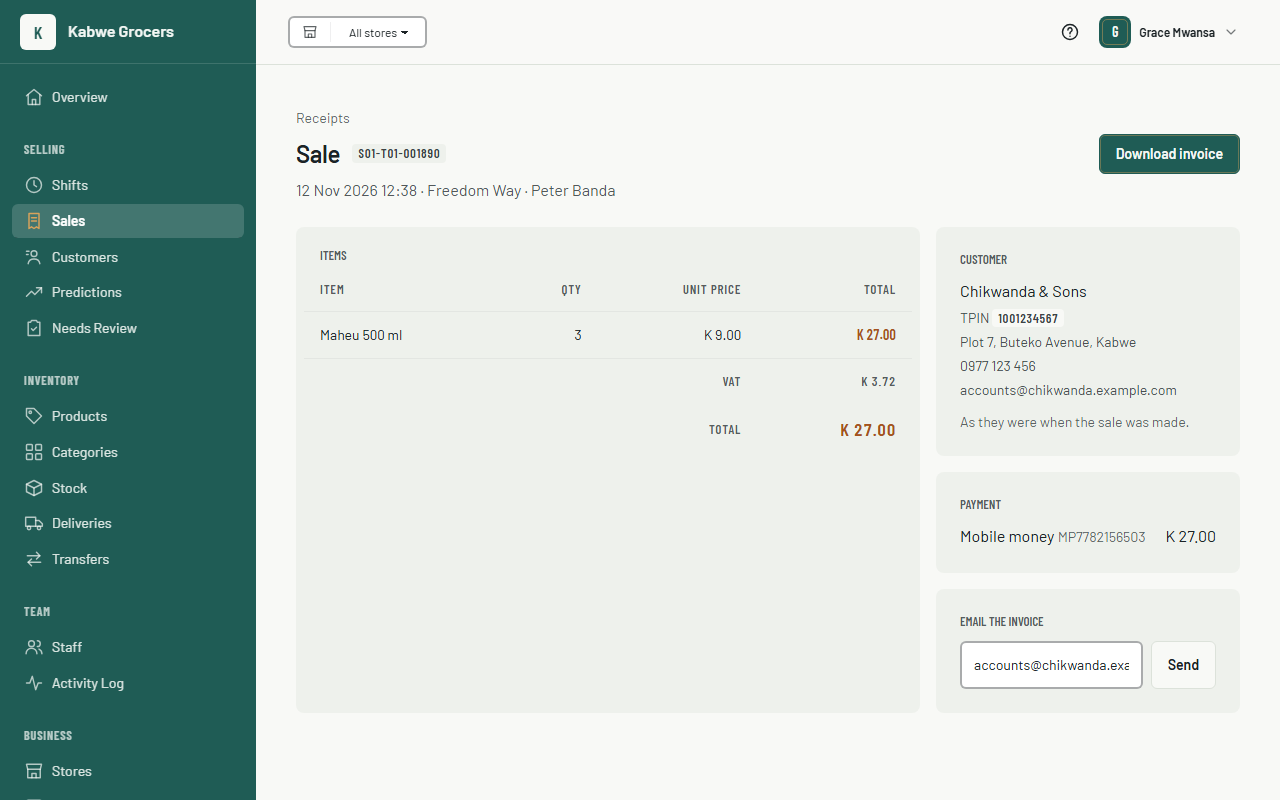
- To email it, check the address under Email the invoice and choose Send. The page shows when it was sent.
In the admin app
- Open Selling, then Sales, and tap the sale.
- Choose Share Invoice or Email Invoice.
Common questions
The customer's details are missing from the invoice.
No customer was chosen on that sale. A sale can't be changed after payment. Refund it and sell again with the customer chosen, or give them the invoice as a cash sale.
I changed a customer's address. Will old invoices change?
No. Each sale keeps the customer's details as they were on the day.
The customer says the email didn't arrive.
Ask them to check their spam folder. On the dashboard, the sale's page shows whether it was sent. We try for 3 days if their mail server is down. You can send it again, or to another address.
It says INVOICE, not TAX INVOICE.
Your business isn't marked as VAT registered. An owner can change that under Settings.
Where is the ZRA fiscal number?
Sending sales to ZRA Smart Invoice isn't available yet. When it is, the fiscal number and QR code will print on these invoices.