Paying for your plan
Choose a plan, pay by bank transfer, upload the proof, and see what happens if a payment is late.
- For owners
On this page
What it's for
Your subscription is priced by the number of stores, and some plans also limit the number of tills (the Billing page shows how many you use and how many your plan allows). You pay by bank transfer or deposit, using the reference on your invoice, and upload proof of payment. We check it, usually within one working day, and your plan runs until the date shown on the Billing page.
Before you start
You need:
- to be an owner (managers can't see Billing)
- a way to pay by bank transfer or deposit
- the deposit slip or a screenshot of the transfer, as a PDF, JPEG or PNG of up to 5 MB
Steps
- In the dashboard, choose Billing (under Business). You see your plan, its status, and when your trial or paid period ends.
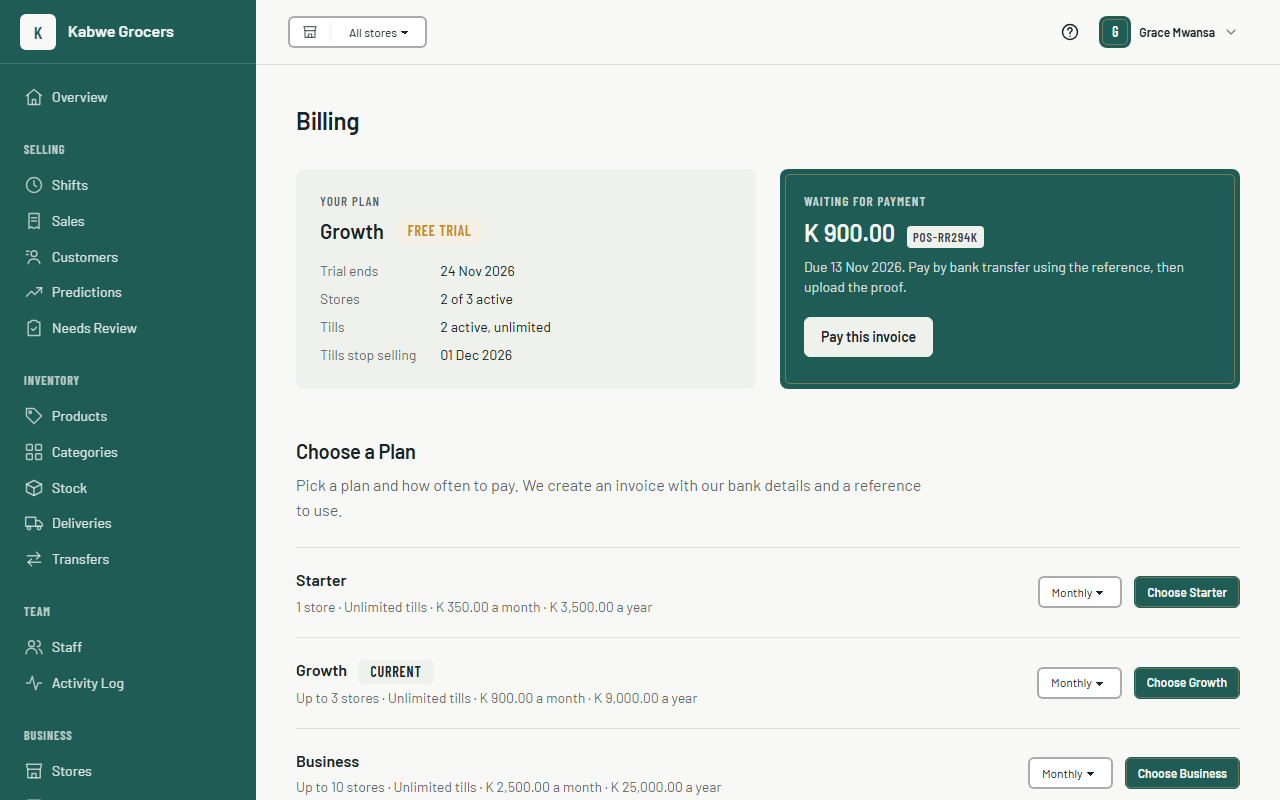
- Under Choose a Plan, pick Monthly or Yearly next to the plan you want and choose Choose. We create an invoice and open it.
- Pay the amount on the invoice into the bank account shown, and put the payment reference (it looks like
POS-7K3Q9X) on the transfer or deposit slip.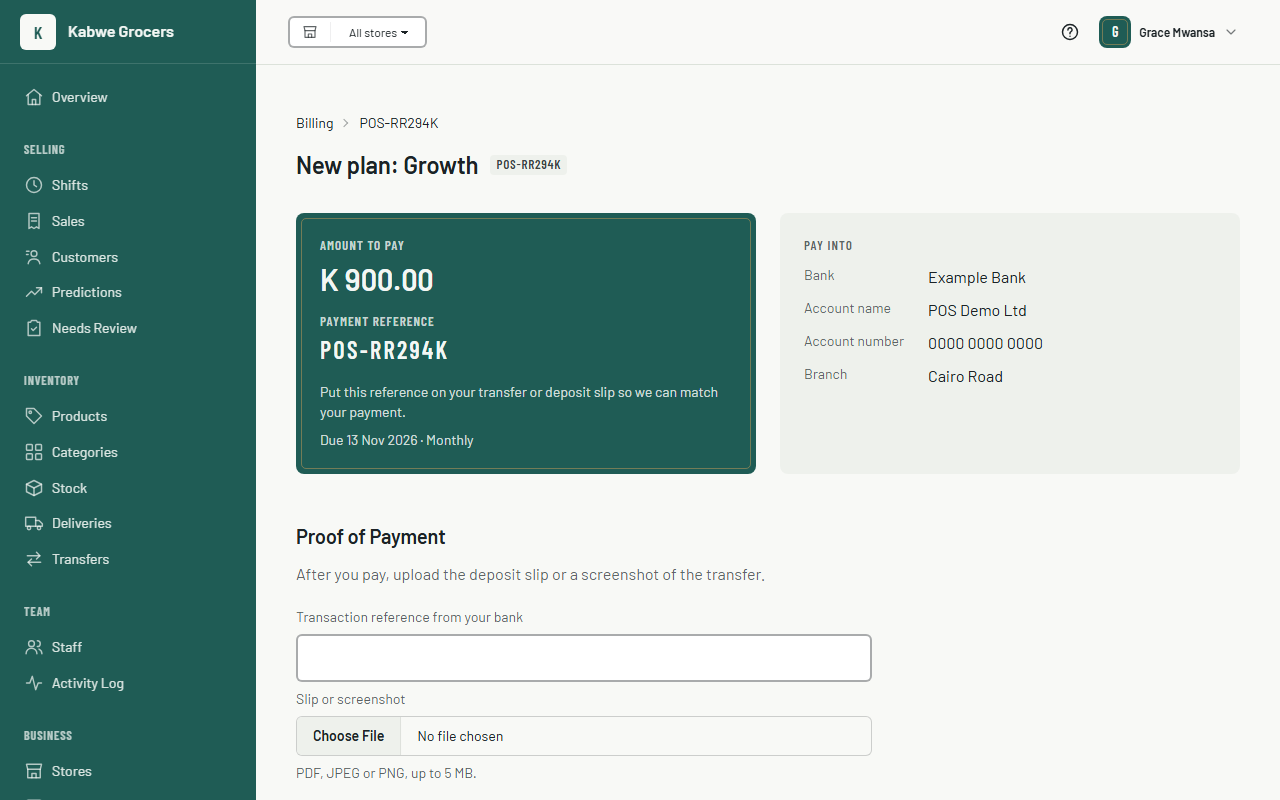
- Back on the invoice, type the transaction reference from your bank, choose the slip or screenshot, and choose Send proof.
- We check the payment and email you. When it's approved, Billing shows Active and the date you're paid until.
To move to a bigger plan, choose Switch to next to it on Billing. You pay only the difference for the days left in your period. To move to a smaller plan, first archive the stores it doesn't include and revoke the tills it doesn't include (on Tills); the change starts at your next renewal.
Common questions
When do I pay again?
Seven days before your period ends we email you a renewal invoice, and it shows on Billing. Pay it the same way.
What happens if a payment is late?
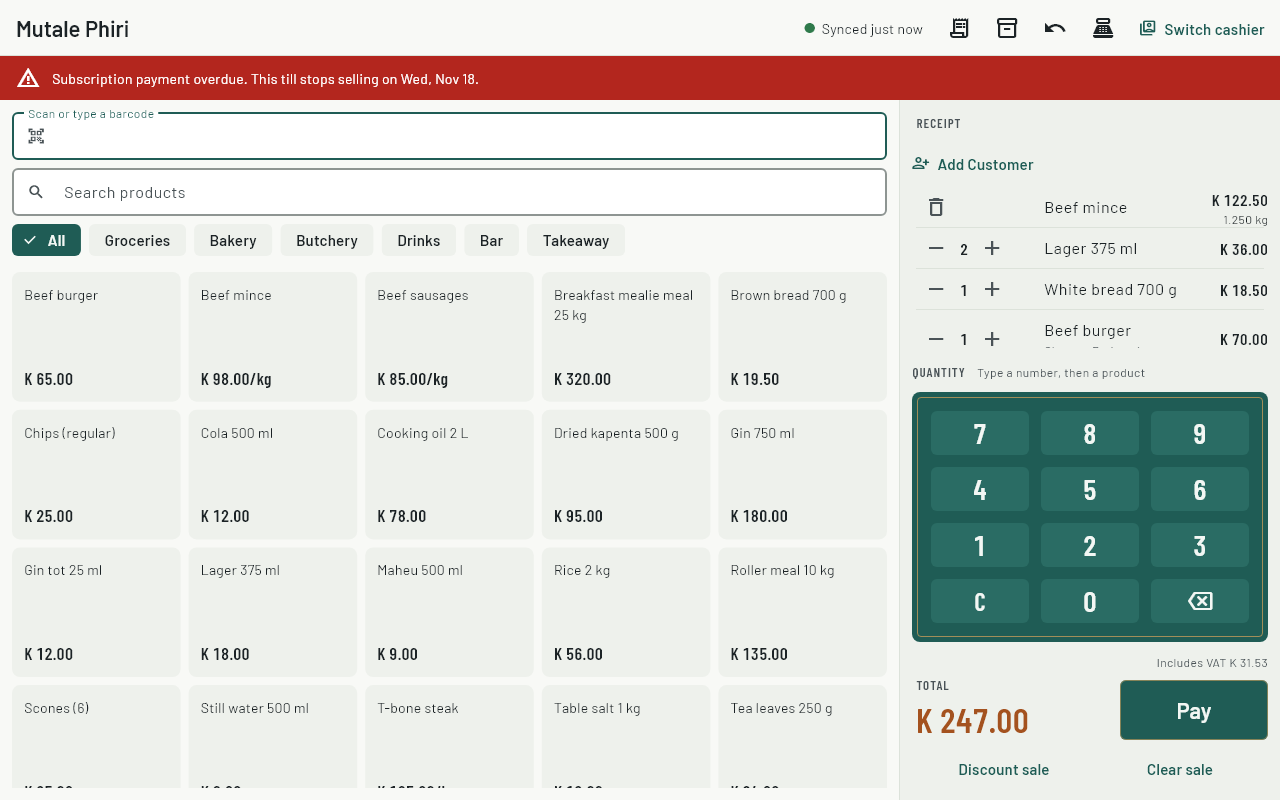
Your tills keep selling for 7 days after the trial or paid period ends, and show a warning with the date they'll stop.
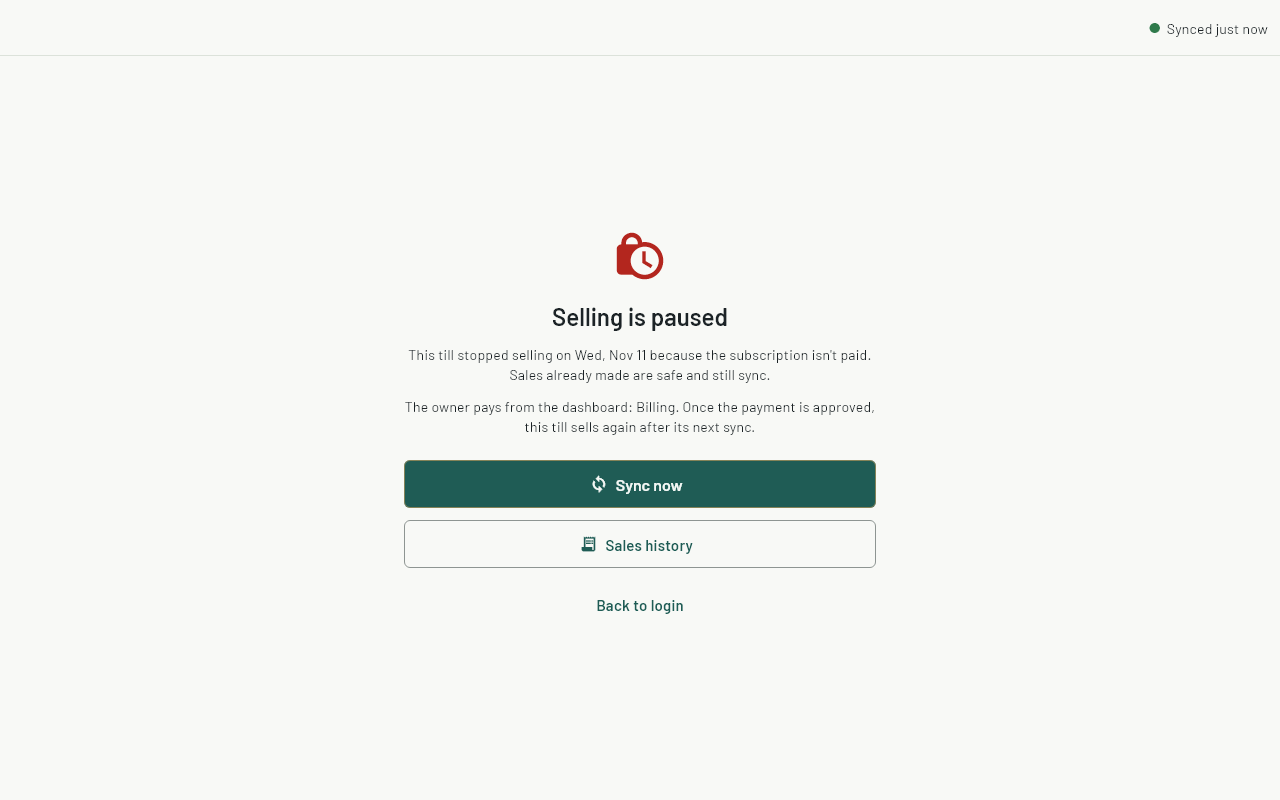
 After that they stop selling until the payment is approved. Sales already made are safe, and tills still sync and show sales history.
My proof was rejected.
The invoice shows why. Check the amount and the reference, then send the proof again from the same invoice.
I paid but the till still says selling is paused.
Once we approve the payment, the till starts selling again after its next sync. Make sure it's online and choose Sync now on the till.
How much space does my business use?
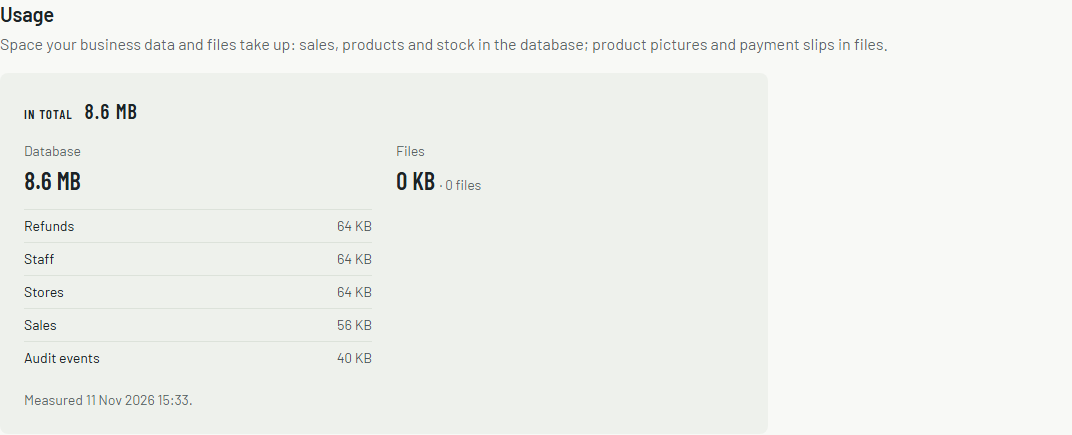
Billing shows it under Usage: the database (sales, products, stock and the rest of your records) and files (product pictures and payment slips), with the largest parts listed. We measure it every day; when the numbers are more than a few hours old, opening Billing measures them again for your next visit. Your plan doesn't limit space.
Can I change between monthly and yearly?
Not yet from the dashboard. Contact us and we'll change it at your next renewal.