Getting help
Search the guides, or send us a message from the support page.
- For owners
- For managers
- For cashiers
On this page
What it's for
The Support page has a guide for every part of Shitisha POS, and a search that looks through all of them. When the guides don't answer your question, send us a message from the same page and we reply by email.
Before you start
You need:
- the words for what you're stuck on, like "refund", "add a till" or "offline"
- to send a message: an email address we can reply to (if you're signed in, we use your account's email)
Steps
- Choose Support at the top of any page, or the ? in the dashboard.
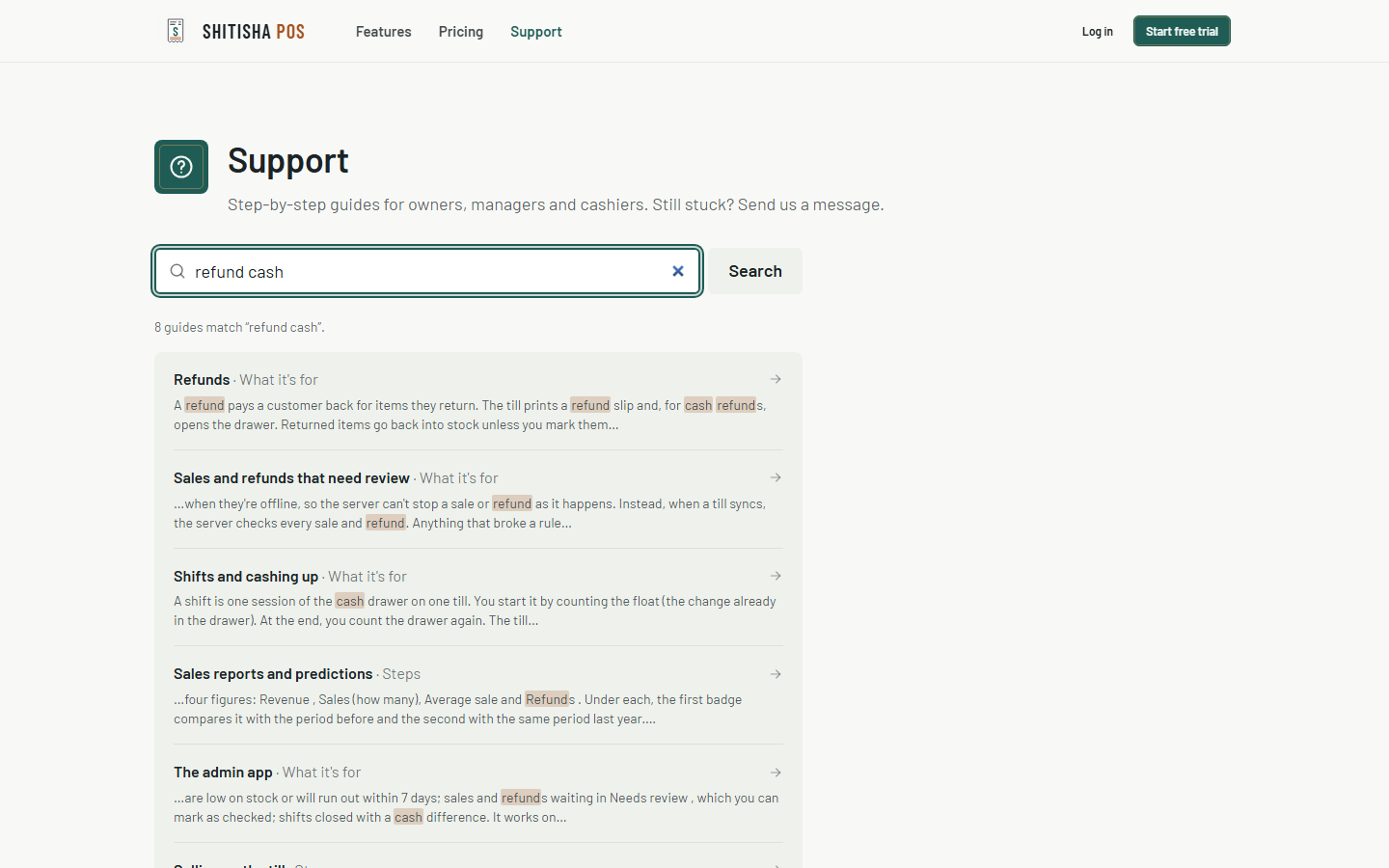
- Type into the search box. Results show as you type: each one names the guide and the part of it that matches, with your words marked. Choose a result to go straight to that part.
- Still stuck? Scroll to Get in Touch. Our email, phone, WhatsApp and hours are on the left.
- Fill in a Subject and your Message: what you were doing and what happened. If you're not signed in, add your name and email too. Choose Send message.
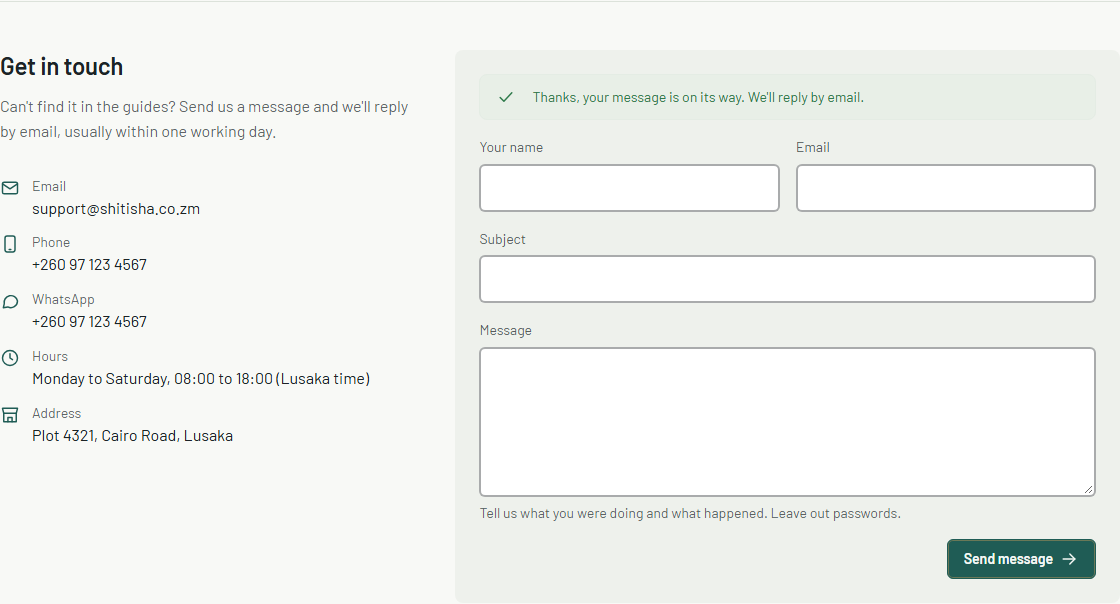
- You'll see Thanks, your message is on its way. We reply by email, usually within one working day.
Common questions
Do I need to be signed in to send a message?
No. If you are, we know which business you're writing about, so we can help faster.
What should I leave out of a message?
Passwords and PINs. We never need them to help you.
The page asks me to prove I'm not a robot.
That's the same quick check as on sign-up, and it's only there when you're not signed in. If it won't pass, refresh the page, or email or call us instead.
I used an old /help link.
It still works: it takes you to the same guide on the Support page.