Installing the till
Download the till app for an Android tablet or a Windows PC and install it.
- For owners
- For managers
On this page
What it's for
The till is the app your cashiers sell with. You download it from your dashboard and install it on each Android tablet or Windows PC you sell from. After that it updates itself with small fixes. When a bigger update needs a new download, we'll tell you.
Before you start
You need:
- your dashboard login (owner or manager)
- the tablet or PC, connected to the internet
- on Android, permission to install apps from your browser (step 3 shows how)
Steps
- On the tablet or PC, log in to your dashboard and choose Download the Till.
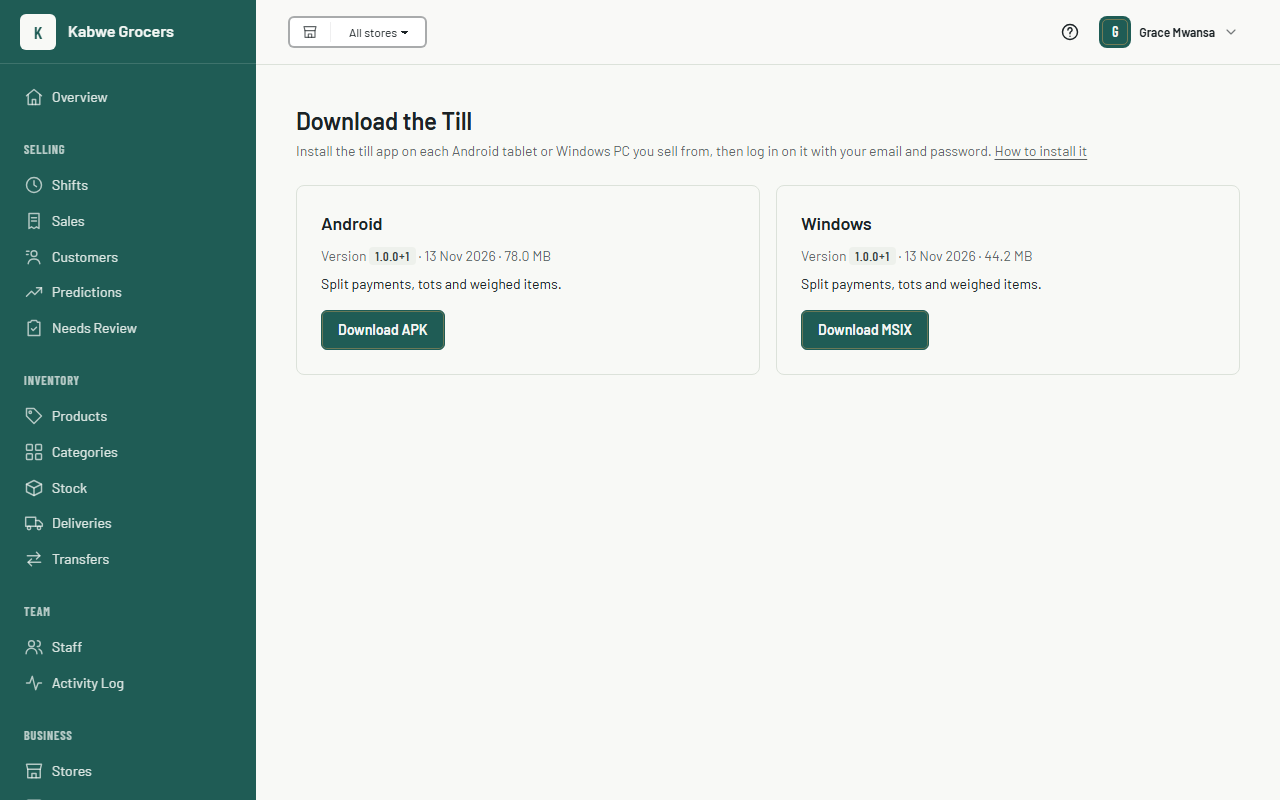
- Choose Download under Android or Windows. The page shows the version, the date it was released and what's new.
- On Android: open the downloaded file. If Android asks, allow your browser to install unknown apps, go back and choose Install.

- On Windows: if the page shows Get it from Microsoft, choose it and then Get or Install in the Microsoft Store. The Store keeps the till up to date for you. Otherwise, open the downloaded file and choose Install. If you downloaded a .zip file, extract it first and open pos_till.exe.
An iPhone and iPad version is on the way. Until it's in the App Store, use an Android device or a Windows PC.
 5. Open the till. It asks you to connect it to a store: follow Setting up a till.
Common questions
Android says the app is blocked or harmful.
Only download the till from your own dashboard. Google Play Protect sometimes warns about apps that don't come from the Play Store. Choose More details, then Install anyway.
Windows says "Windows protected your PC".
This only happens with the downloaded installer. Install from the Microsoft Store instead if the page offers it, or choose More info, then Run anyway. This appears for new versions until Windows recognises them.
Do I have to download every update?
No. Small fixes reach the till by themselves the next time it opens with internet. Only download again when we tell you a new version needs it.
Does a new version lose my sales?
No. Install the new version over the old one; don't uninstall first. Sales the till hasn't sent yet stay on the device and are sent after the update.
Download isn't on my dashboard.
Cashiers don't have dashboard logins. Ask the owner or a manager to download it.
The till says "Selling is paused".
The subscription hasn't been paid and the 7-day grace period has ended. Sales already made are safe, and the till still syncs and shows sales history. The owner pays from Billing in the dashboard (see Paying for your plan); once the payment is approved, the till sells again after its next sync.