Activity log
See who removed items, gave big discounts, changed prices, stock or staff.
- For owners
On this page
What it's for
The activity log is your record of the actions worth checking:
- lines removed and sales cancelled before payment
- discounts above the cashier limit, with the manager who approved them
- stock adjustments and counts
- deliveries and transfers
- price changes
- staff changes
- tills you revoked
Each entry shows who did it, when, and at which store.
Before you start
You need the owner's dashboard login. Managers don't see the activity log.
Steps
- In the dashboard, choose Activity Log.
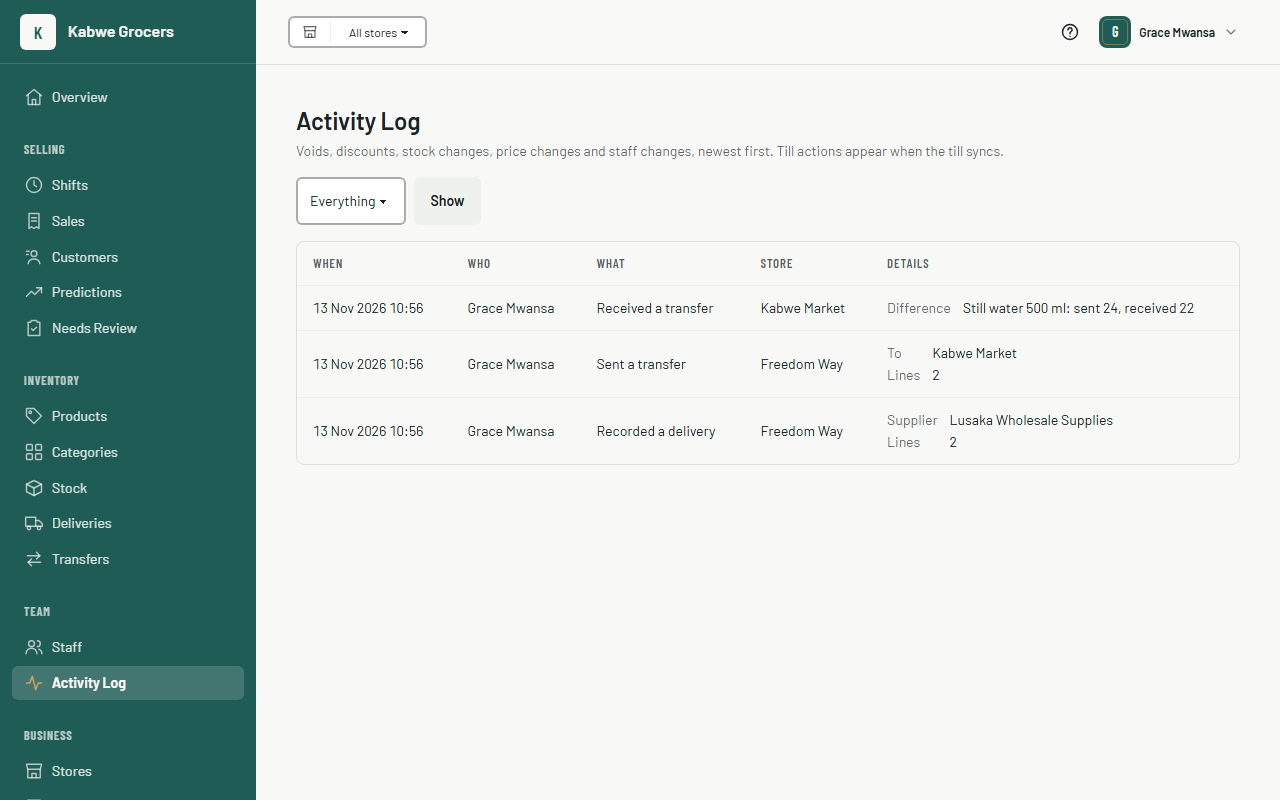
- To look at one kind of action, choose it under Show (for example Voids or Price changes), then Show.
- Read the Details column for what changed: the old and new price, the counted quantity, or the lines that were removed.
Common questions
A void from this morning isn't there.
Till actions appear when the till syncs. Check the sync badge on that till.
Where are refunds?
Refunds are kept as their own records, with the manager who approved them. The reports will list them.
Can an entry be deleted?
No. The log only ever grows.