Logging in on the till
Tap your name, enter your PIN, and switch cashiers between customers.
- For cashiers
On this page
What it's for
Every sale records who made it, so your manager can see sales per cashier. Logging in takes a second and works without internet.
Before you start
Your manager gives you a PIN of 4 to 6 digits. Keep it to yourself.
Steps
- On the till, tap your name.
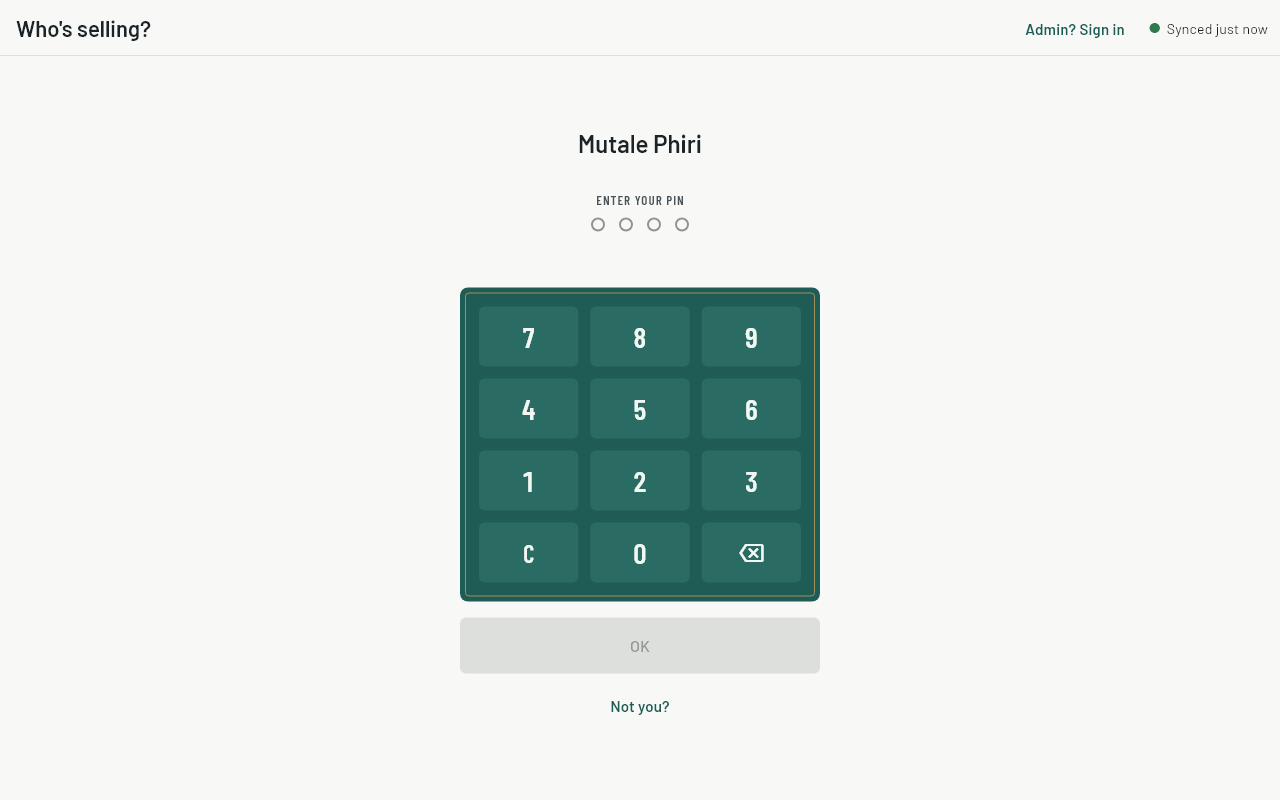
- Enter your PIN on the keypad (or the keyboard) and tap OK.
- If no shift is open on this till, count the float and open one. See Shifts and cashing up.
- You're on the sell screen. Your name shows at the top.
- When you finish or hand over, tap Switch cashier. The next person taps their own name. At the end of the day, close the shift instead.
Common questions
It says "Wrong PIN".
Check the digits and try again. If you've forgotten your PIN, ask your manager to set a new one on the dashboard.
It says "Too many tries. Wait a minute."
After 5 wrong tries the till waits a minute before you can try again. Closing and reopening the app doesn't skip the wait.
My name isn't on the list.
Ask your manager to add you to this store. A new cashier appears once the till has been online.
My new PIN doesn't work yet.
The till picks up PIN changes the next time it's online, usually within a minute.