Selling offline and syncing
The till keeps selling without internet. Here's what the sync light means and what to do when it's red.
- For cashiers
- For managers
On this page
What it's for
Every sale is saved on the till first, before the receipt prints. The till sends sales to the server and fetches new prices, products and staff whenever it's online, about every 20 seconds and right after each sale. Nothing is lost when the internet drops.
The sync light
Look at the top of the sell screen.
| Light | Says | Means |
|---|---|---|
| Green | Synced 2 min ago | Everything is on the server. |
| Amber | 12 waiting | Sales are saved on the till and waiting for the internet. Keep selling. |
| Red | 3 need attention | The server couldn't accept some sales. They are kept safe on the till. |
| Grey | Not synced yet | The till hasn't reached the server since it started. |
Tap the light to sync straight away. If something went wrong, the till tells you why.
Steps
When the internet drops
- Keep selling as normal. Cash, card and mobile money sales are all saved on the till.
- The light turns amber and counts the waiting sales.
- When the internet comes back, the till sends them by itself and the light turns green.
When the light is red
- Tap the light. Needs attention opens, with each record the server didn't accept, its receipt number, when it was made, and the reason.
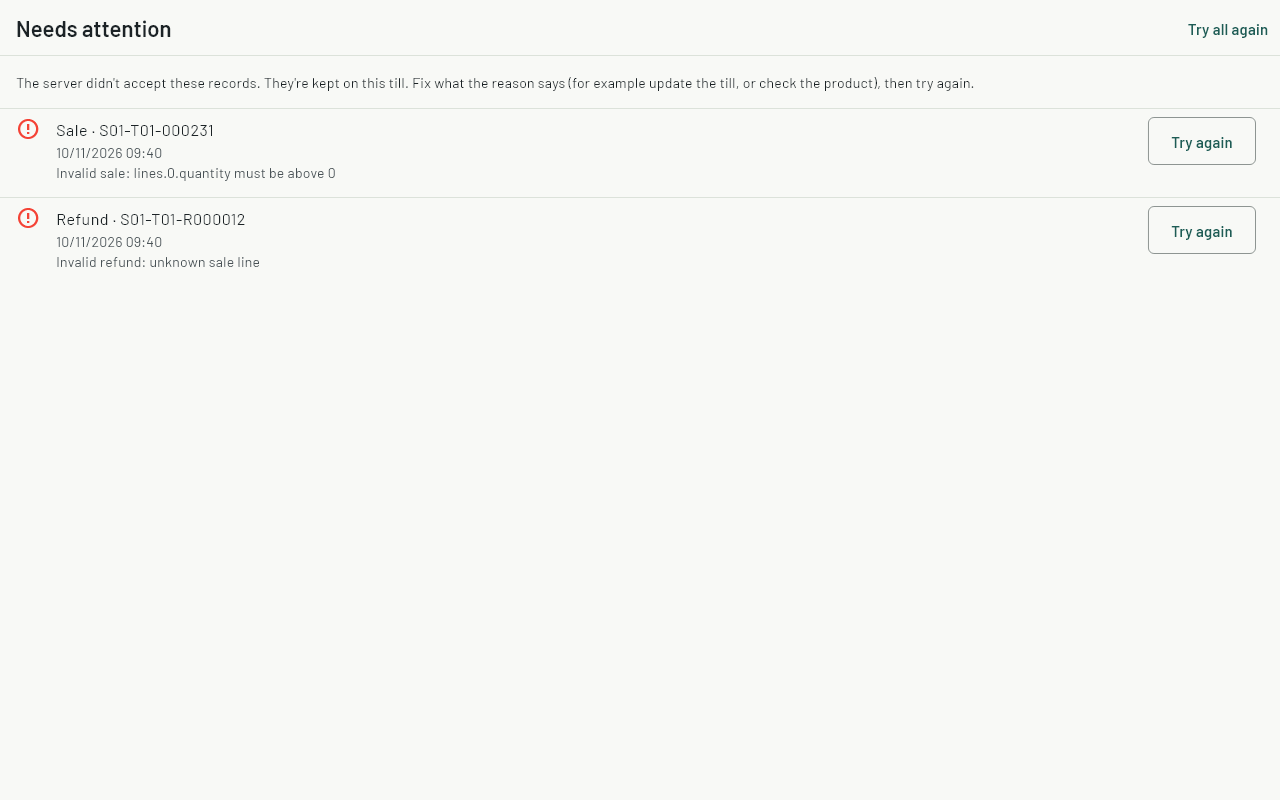
- Fix what the reason points at. Often the till app needs updating, or a product was changed on the dashboard while the till was offline.
- Tap Try again on the record, or Try all again. The light turns amber while it sends, then green.
- Don't uninstall the app or clear its data: the records that need attention are only on this till, and the till never deletes them on its own.
- If it still won't go, tell your manager. The manager contacts support with the till's code (for example S01-T01) and the reason shown.
Common questions
Can two tills sell the last item at the same time?
Yes. Both sales count, and the stock shows below zero so you can fix the count later.
How long can a till stay offline?
As long as you need. Sales wait on the till until the internet is back. Price changes from the dashboard reach the till the next time it's online.
Does the till keep old sales forever?
Sales that reached the server are kept on the till for 90 days, then removed to save space. They stay on the server. Sales that haven't synced are never removed.